PipeDesk CRM
A sales pipeline that stays current, at the desk and on the road
Mid-sized B2B sales teams ran their pipeline across spreadsheets, a legacy CRM and chat threads. Reps updated deals once a week, usually on Friday afternoon, so the forecast was already stale by Monday.
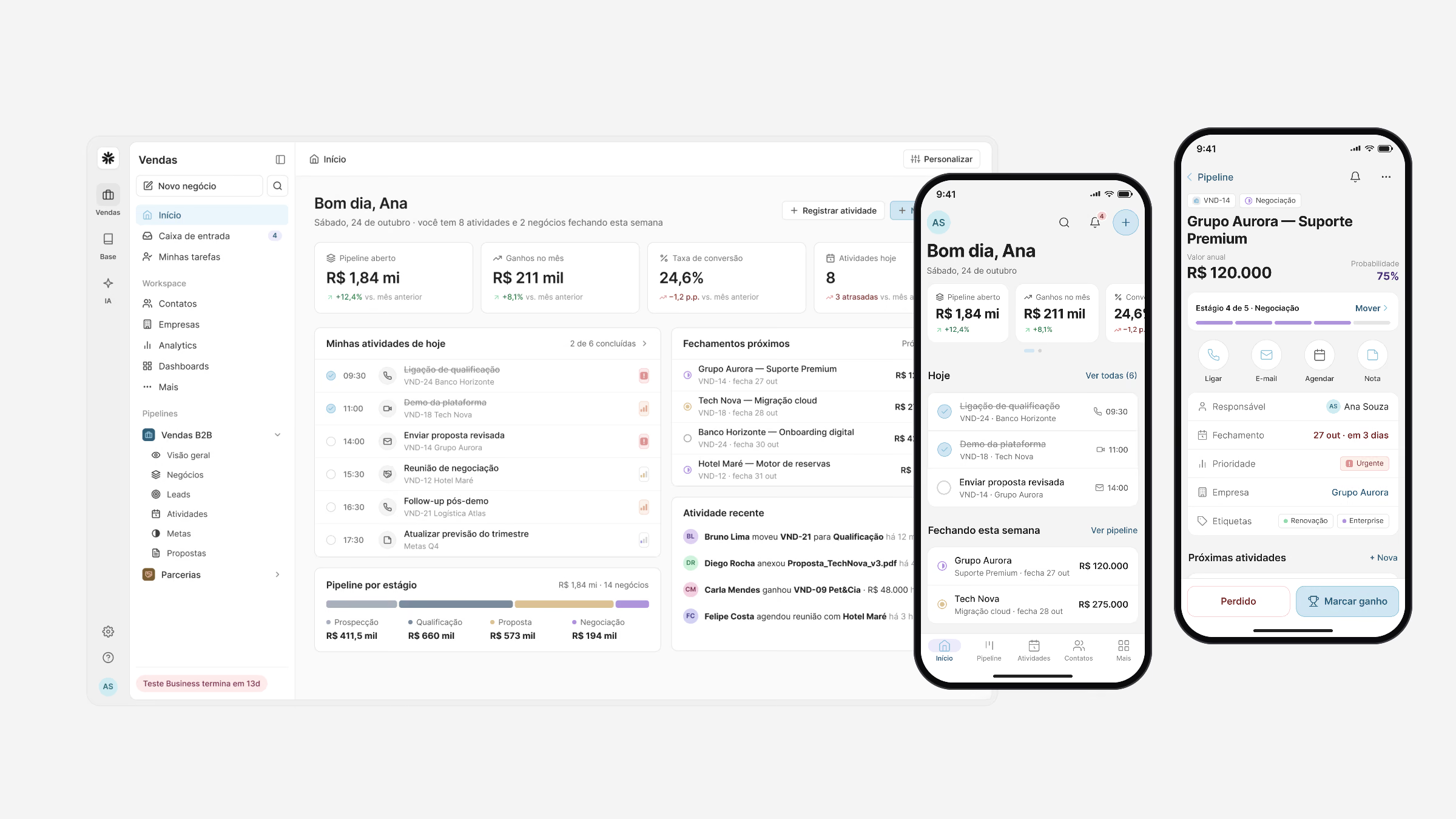
I designed PipeDesk as one product on two surfaces: the web app for planning and analysis, the mobile app for the moments between meetings, both built on the same components and data model.
- UX research
- Interaction design
- UI & design system
- Prototyping
Process
From problem to delivery, step by step.
08stages documented in this case
- 01Wireframes
Before any visual design, the two core flows were laid out in low fidelity on the real layout: the pipeline board on the web, and the path from a…
- 02Pipeline
The board is where the day starts.
- 03Web and mobile
Mobile is not a smaller web app.
- 04Insights
Analytics, team dashboards and goals turn the pipeline into a forecast managers can trust, and proposals are generated from the deal itself, with…
- 05Sales copilot
The copilot was designed as a colleague, not as a chat window.
- 06In the field
Sellers update the CRM between meetings, with one hand and little time.
- 07Goals and management
Managers needed to answer two questions without opening a spreadsheet: are we going to hit the goal, and who needs help.
- 08What I learned
Speed is the feature.
Wireframes
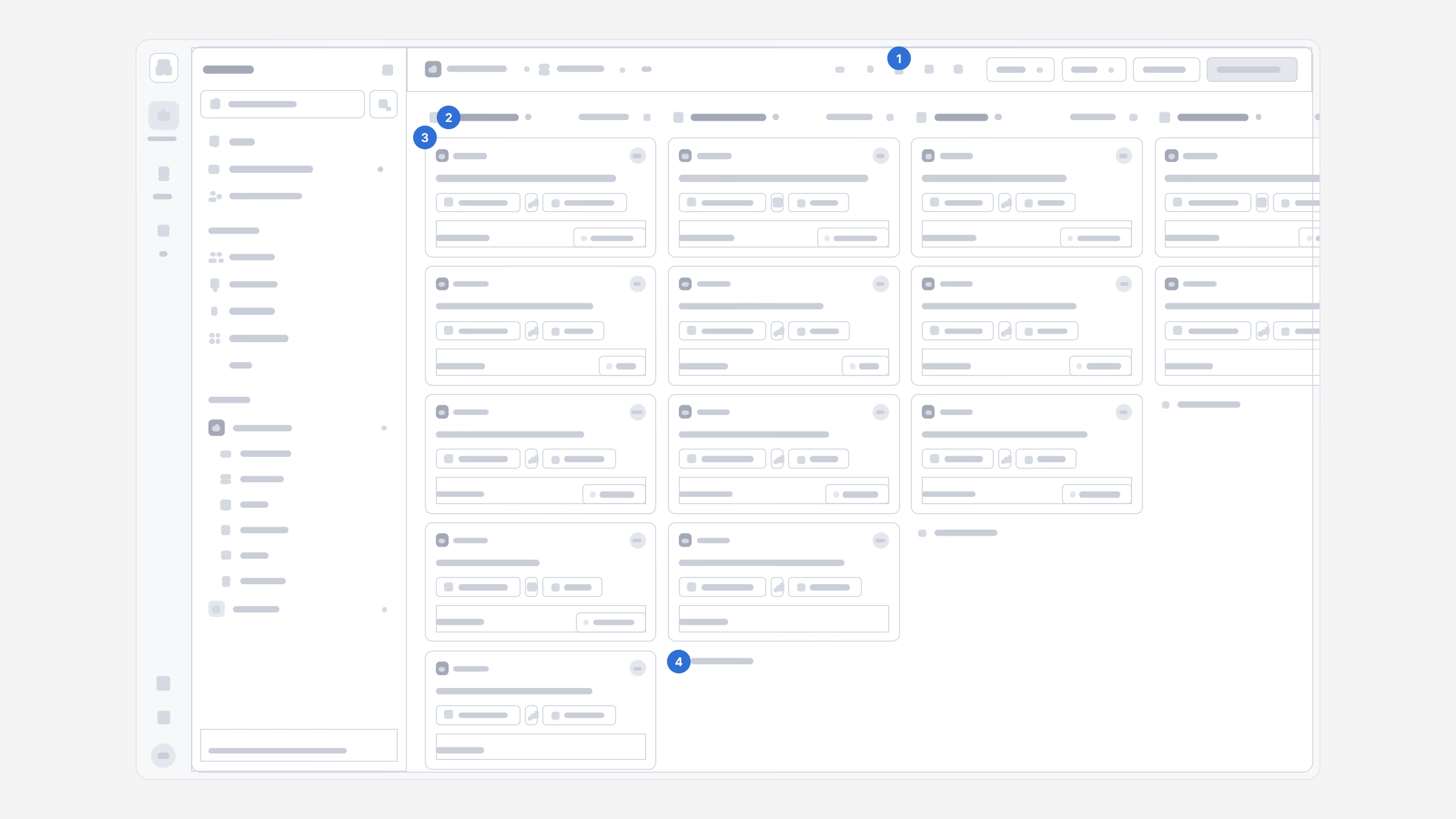
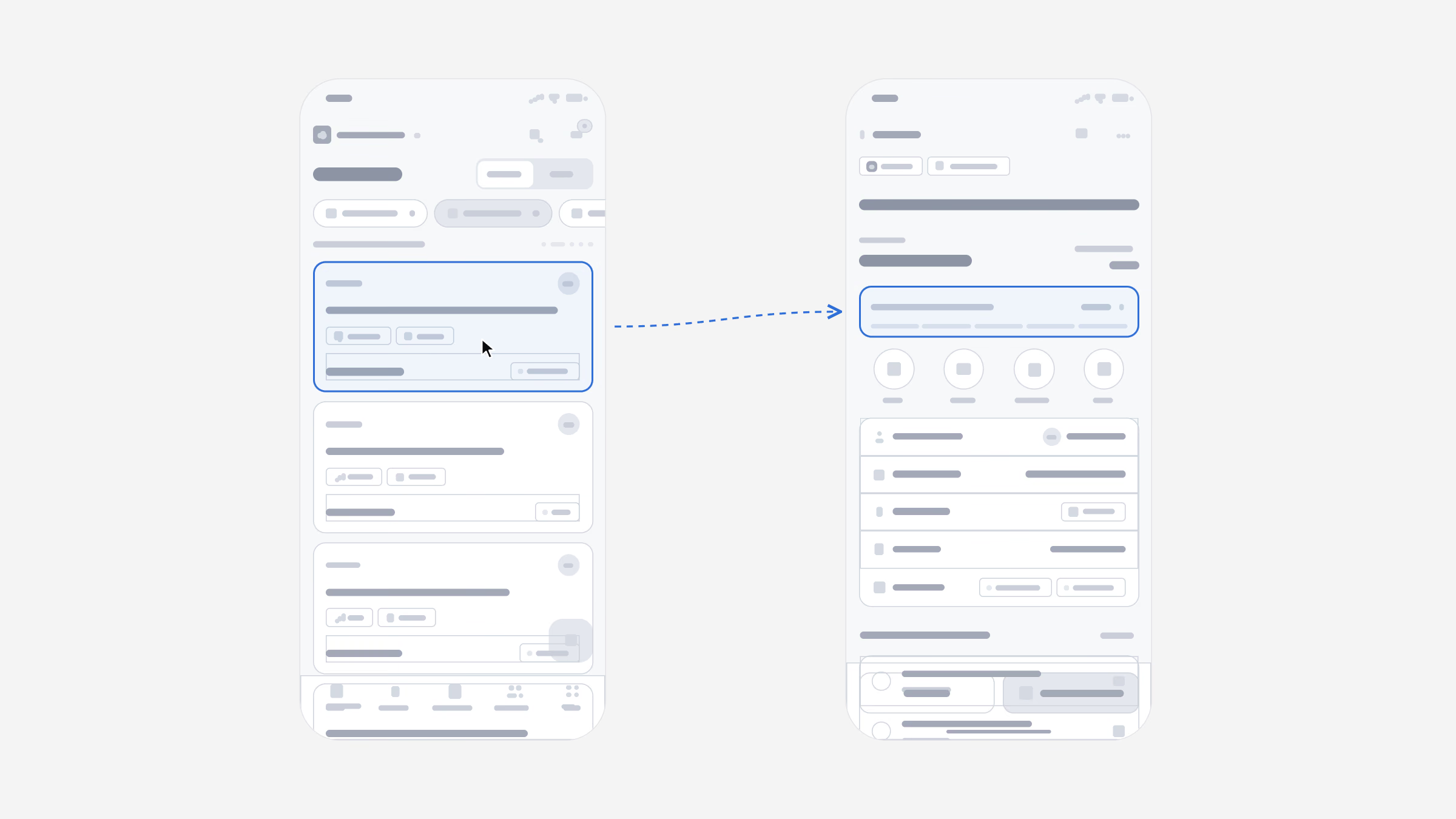
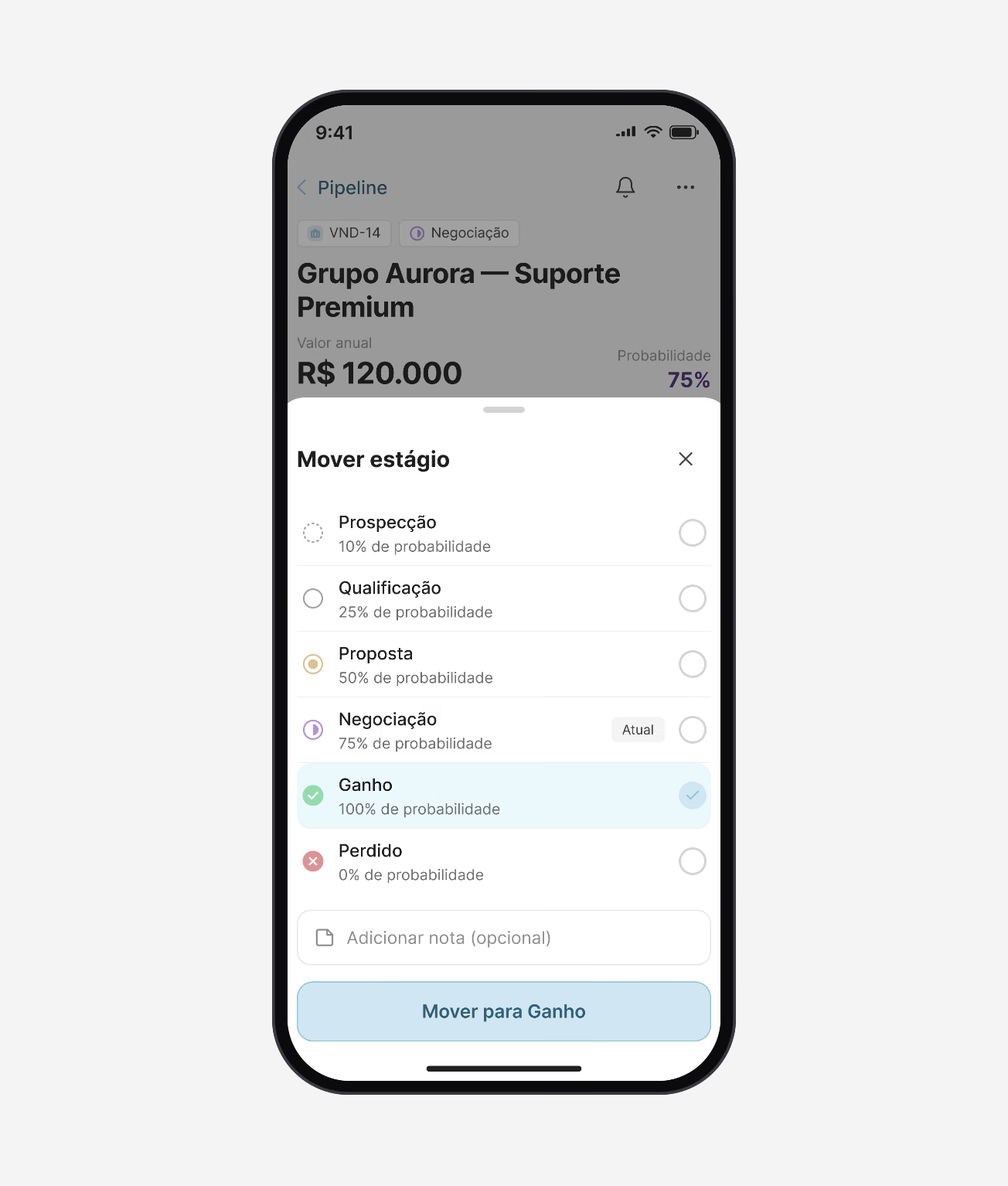
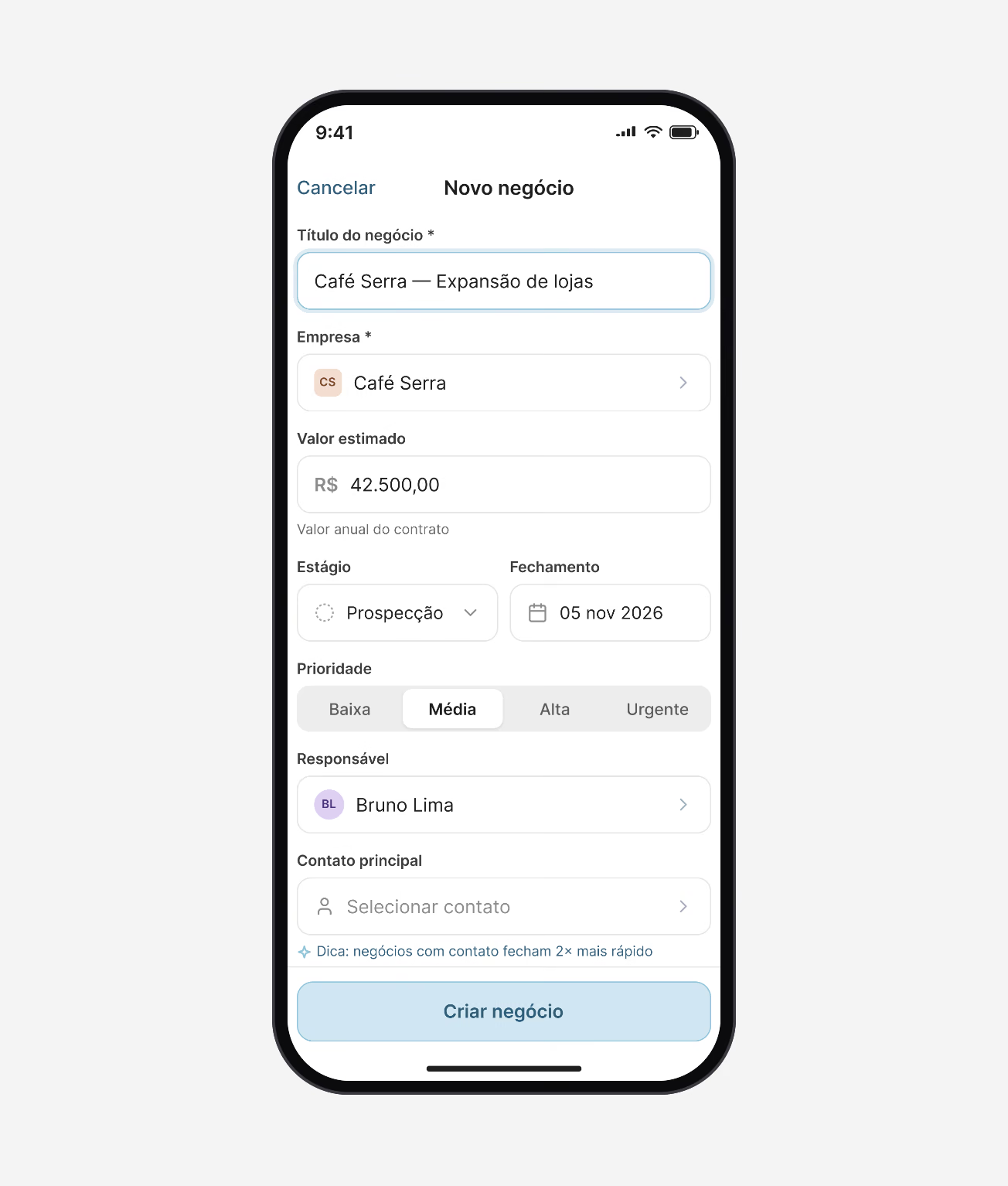
Before any visual design, the two core flows were laid out in low fidelity on the real layout: the pipeline board on the web, and the path from a deal to its next stage on the phone.
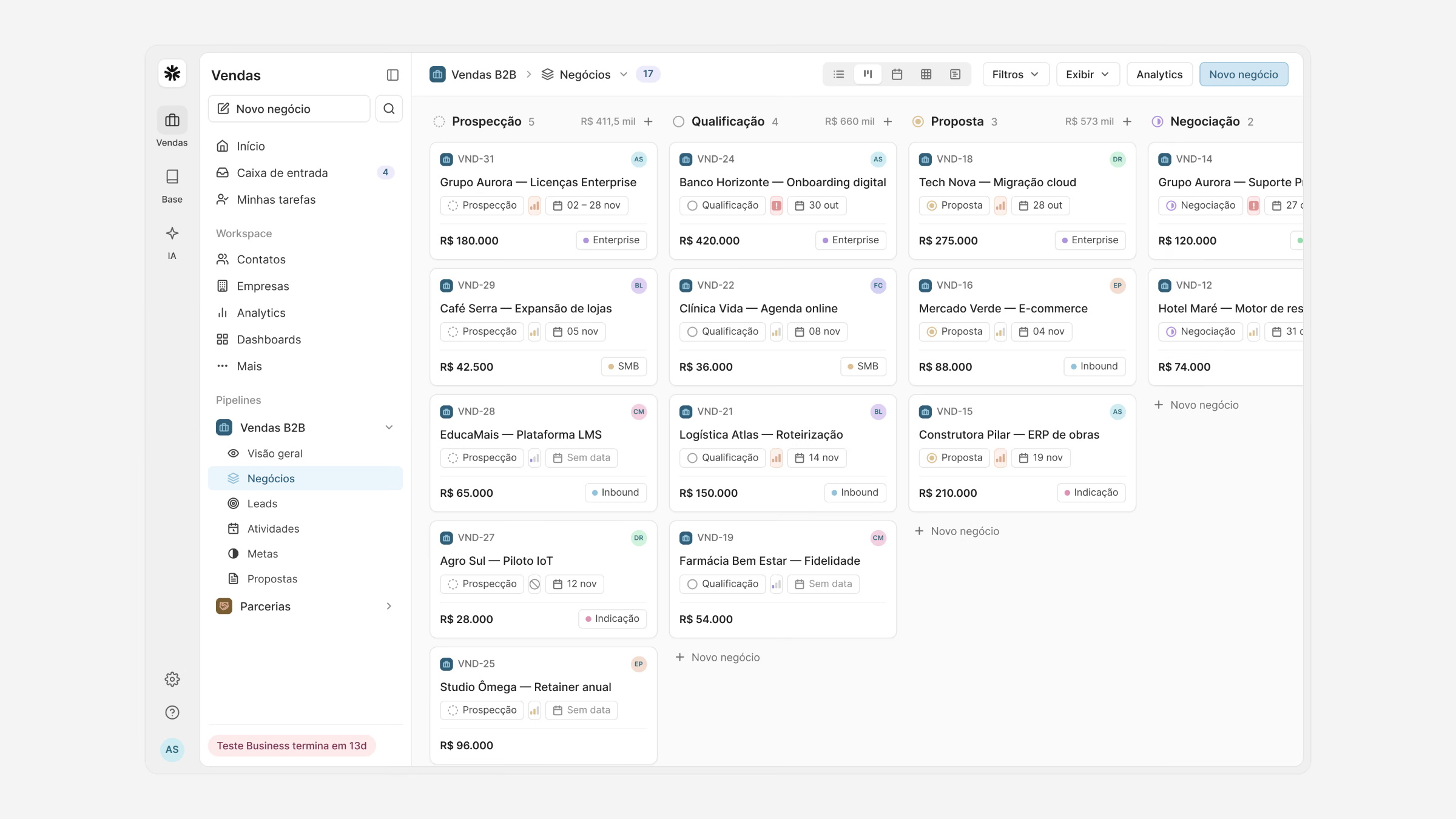
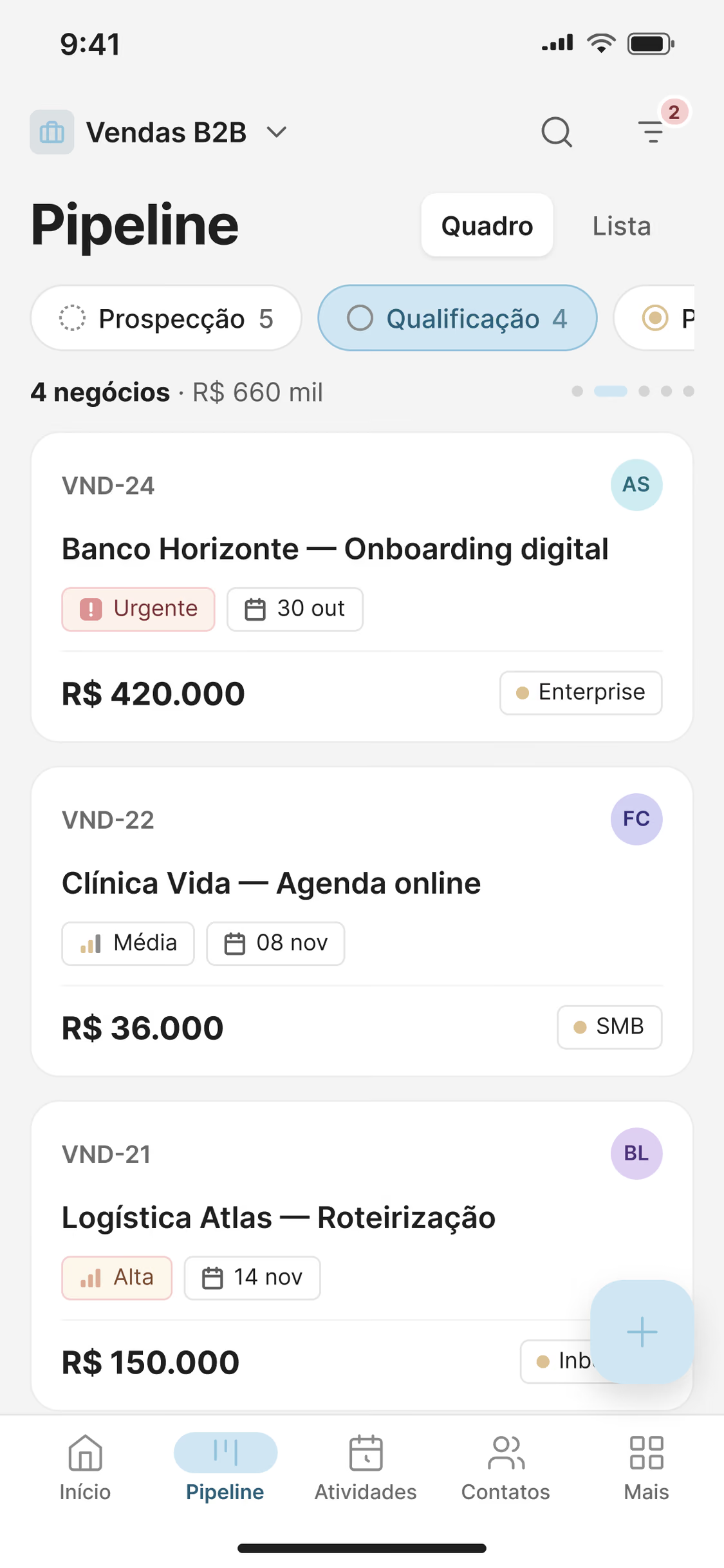
Four decisions carried the board: (1) one switcher for board, list, calendar and timeline over the same deals; (2) the count and total value in every stage header; (3) cards that show stage, priority, close date, value and source at a glance; (4) adding a deal right where it belongs.
Pipeline
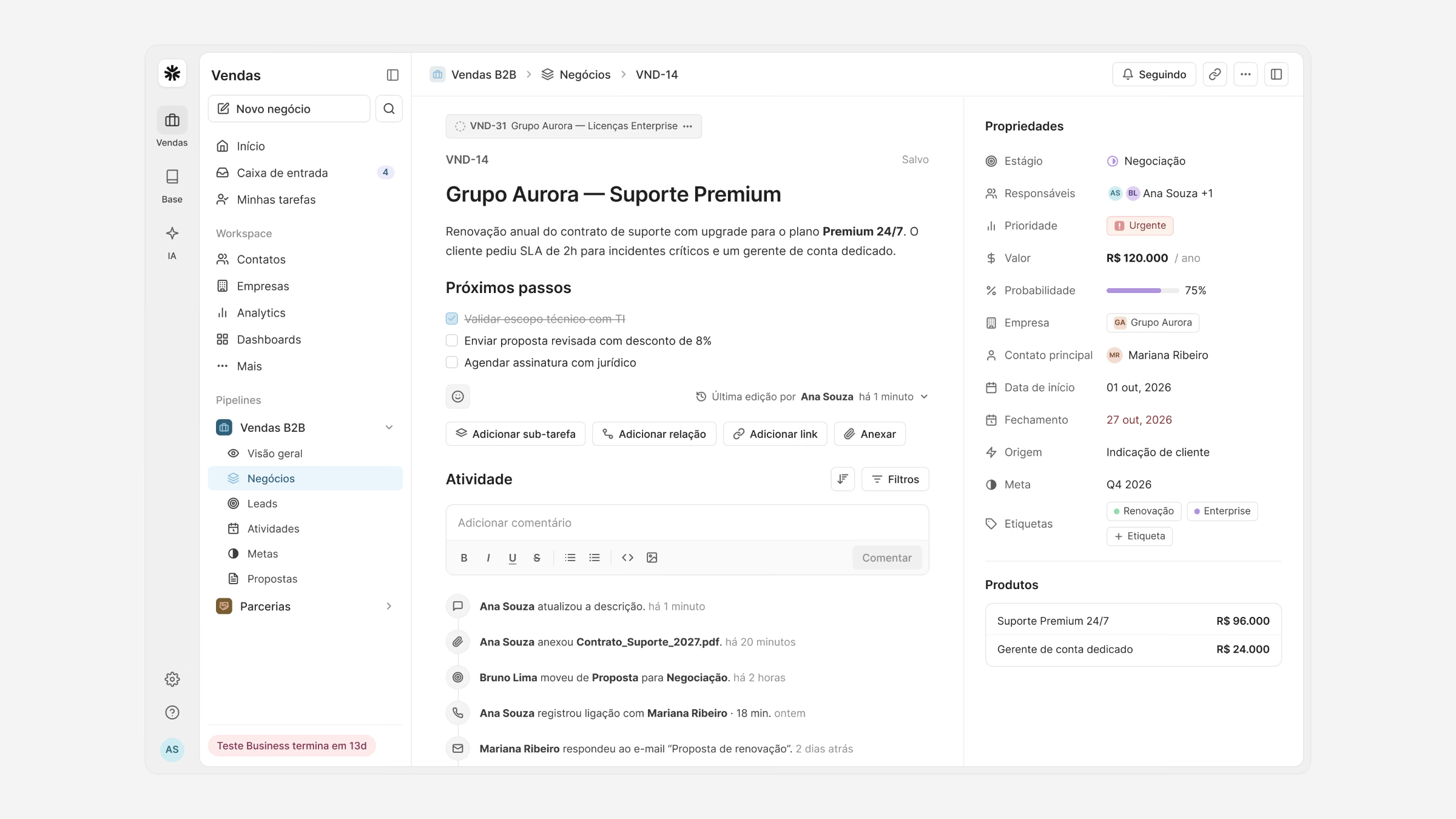
The board is where the day starts. Deals are dragged between stages, and the same deals open as a list, a calendar of closing dates or a timeline, without losing the filters.
Each card answers the questions a manager asks in a pipeline review, so the weekly review takes minutes instead of an hour.
I update deals in the car park between meetings now. Before, it all waited until Friday, and by then I had forgotten half of it.
Account executive, pilot team
Web and mobile
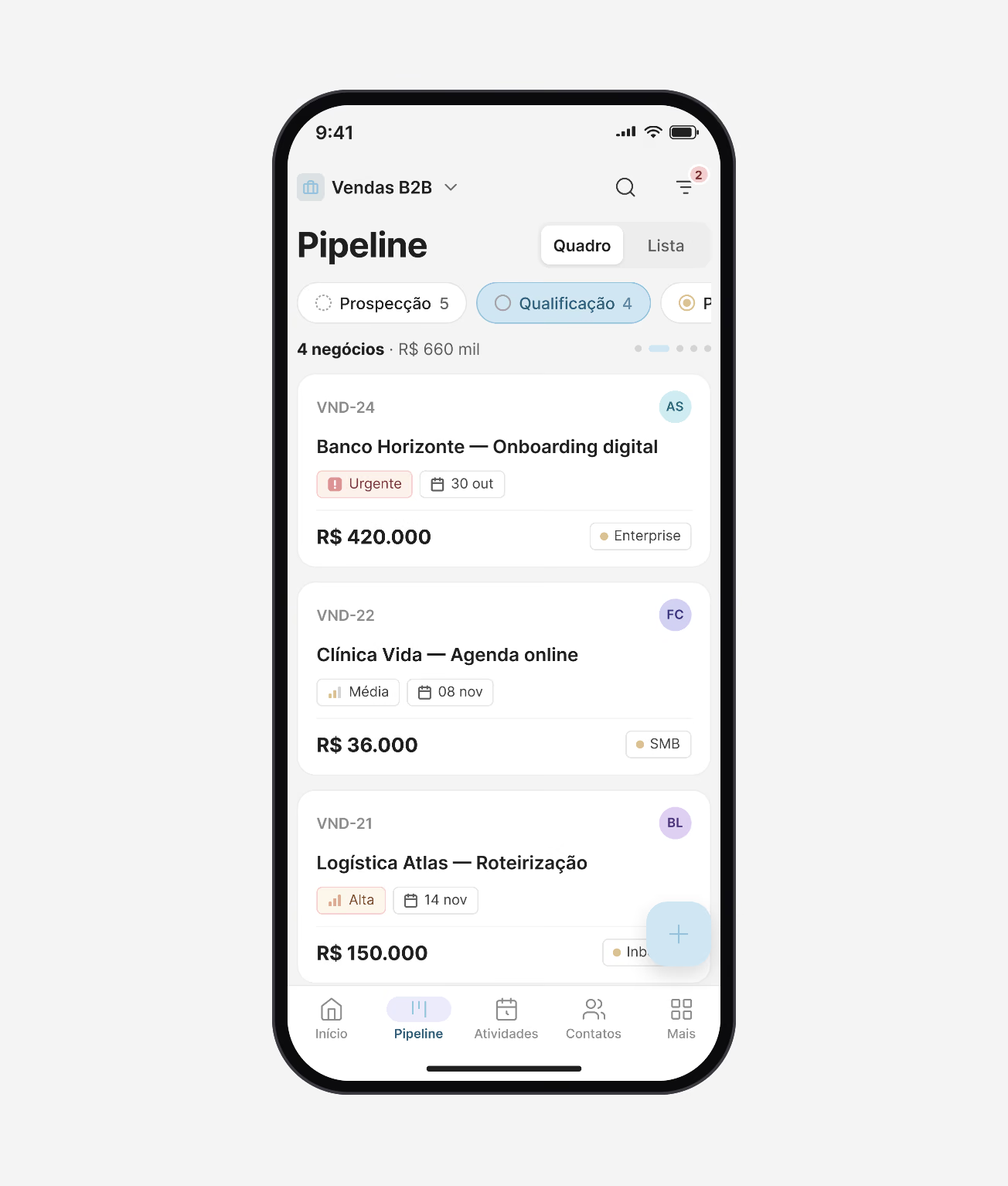
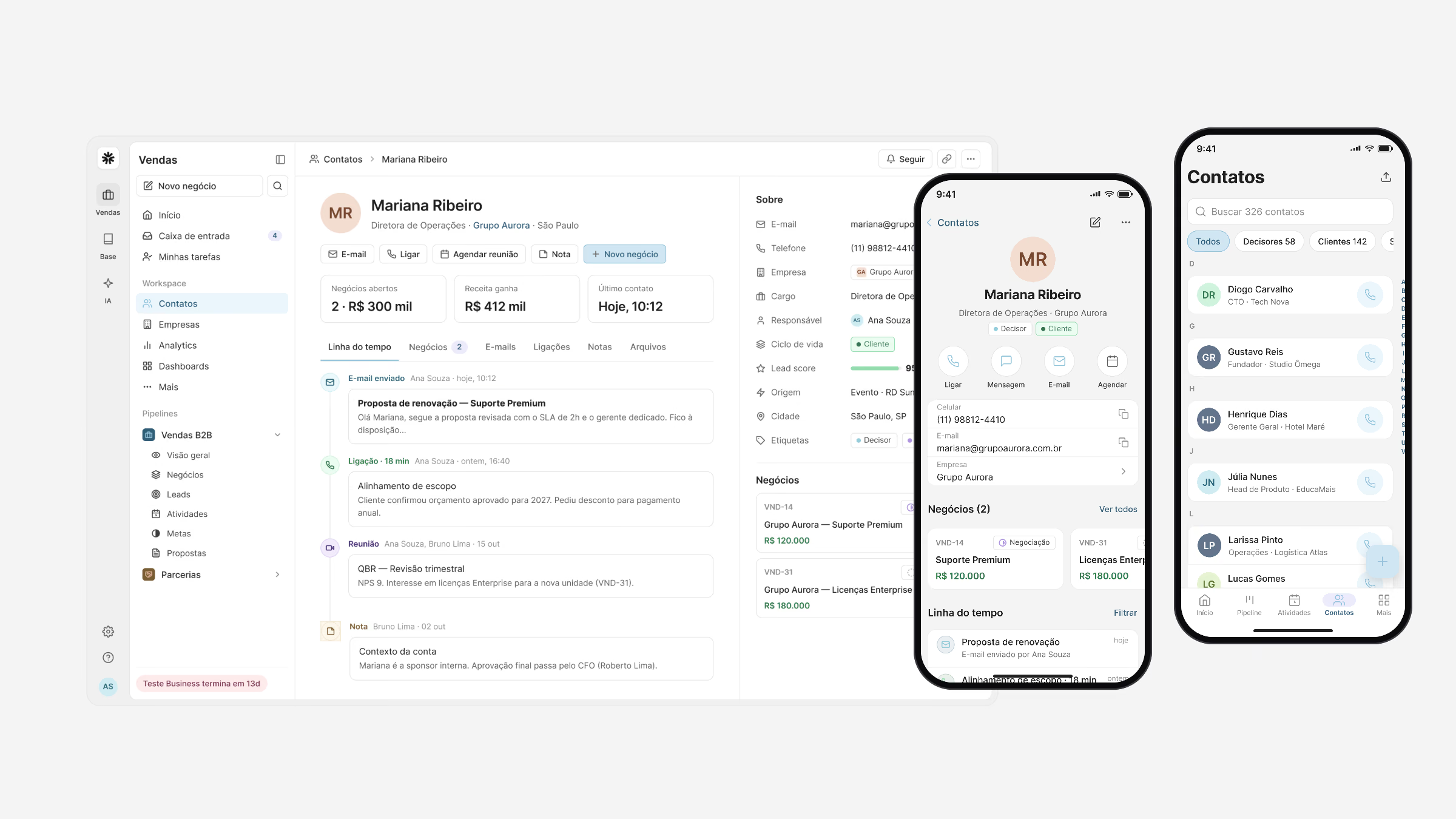
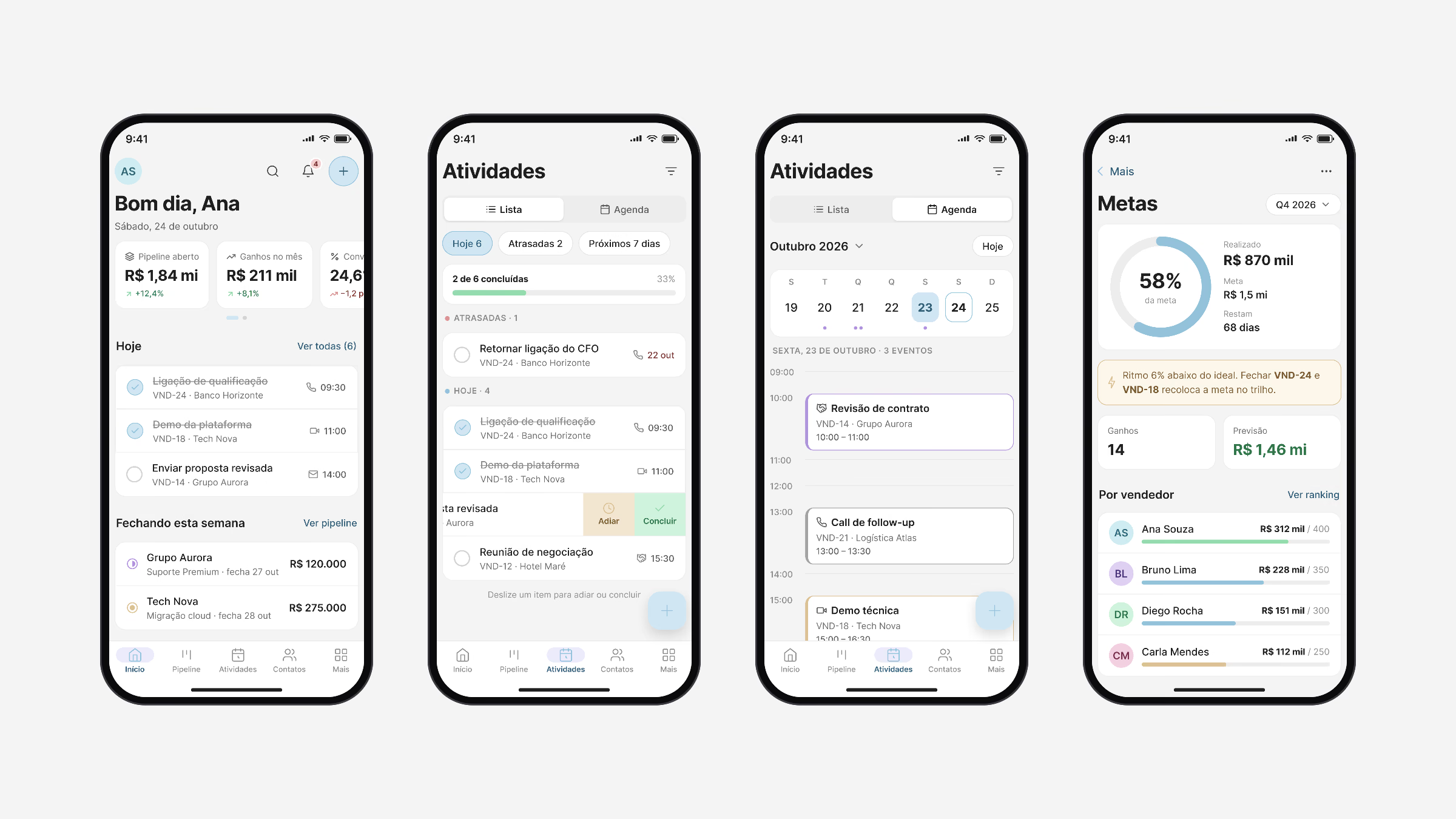
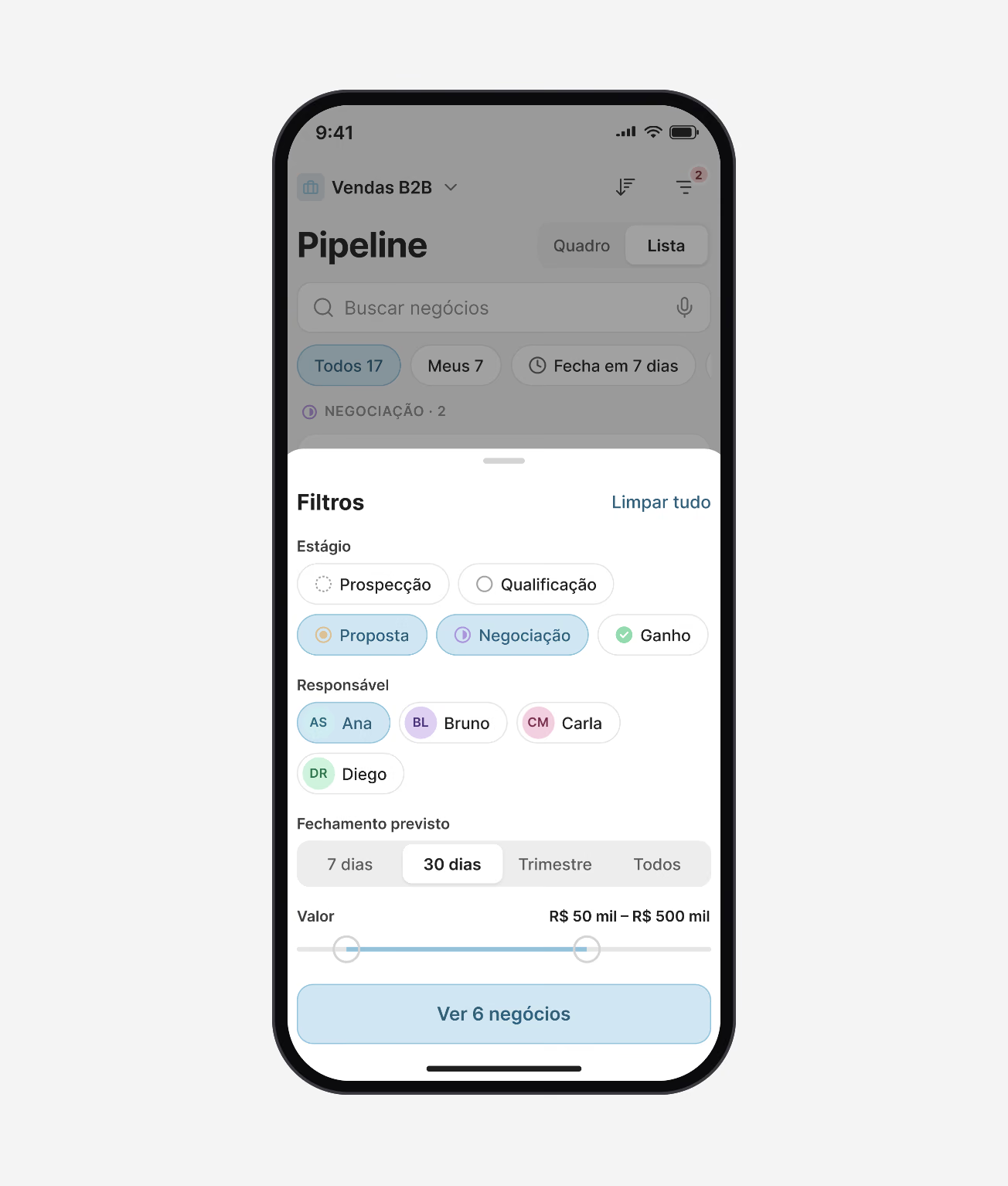
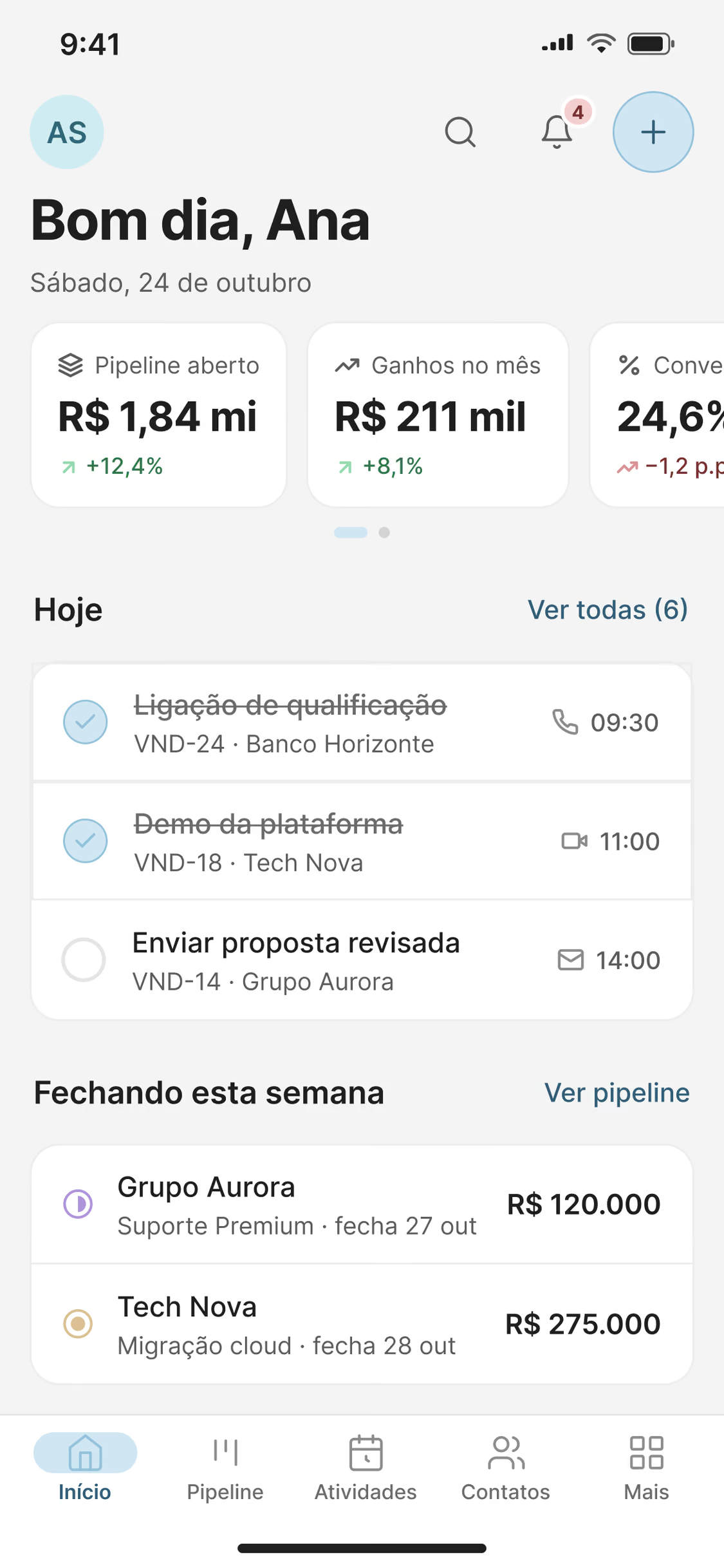
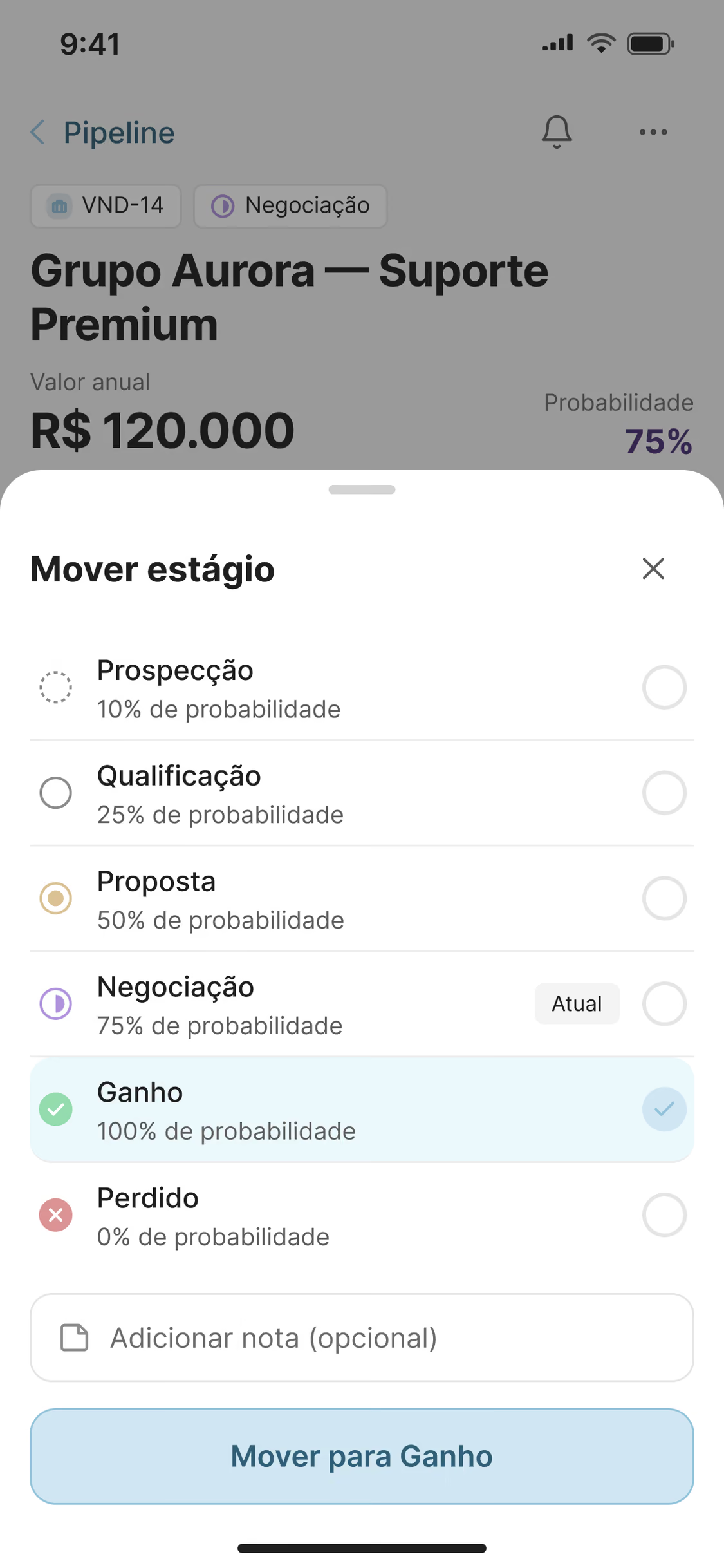
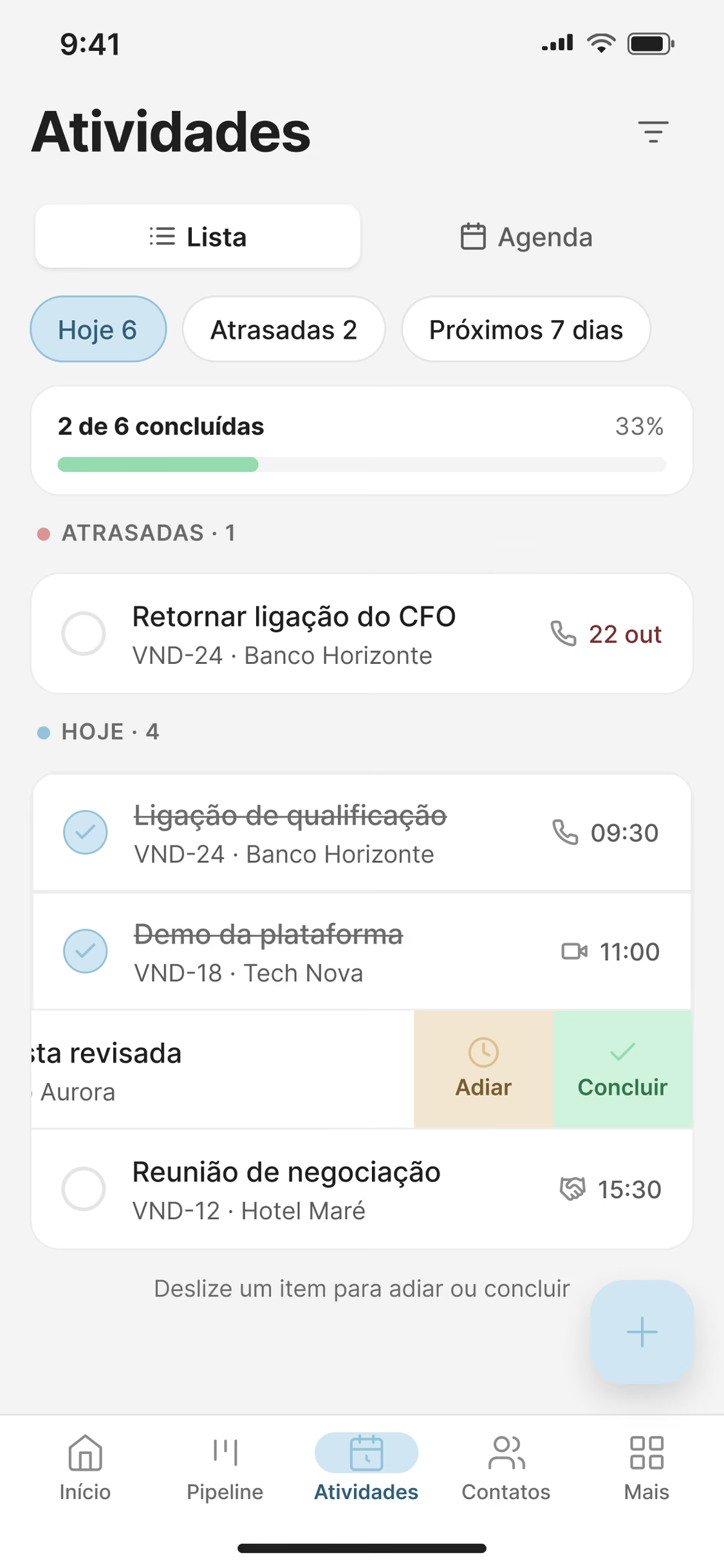
Mobile is not a smaller web app. It keeps what matters between meetings: today’s activities, the deals closing this week, moving a stage, logging a call, and filters that fit a thumb.
Both apps share one component library and the same tokens, so a deal, a contact or a goal looks and behaves the same everywhere.
Insights
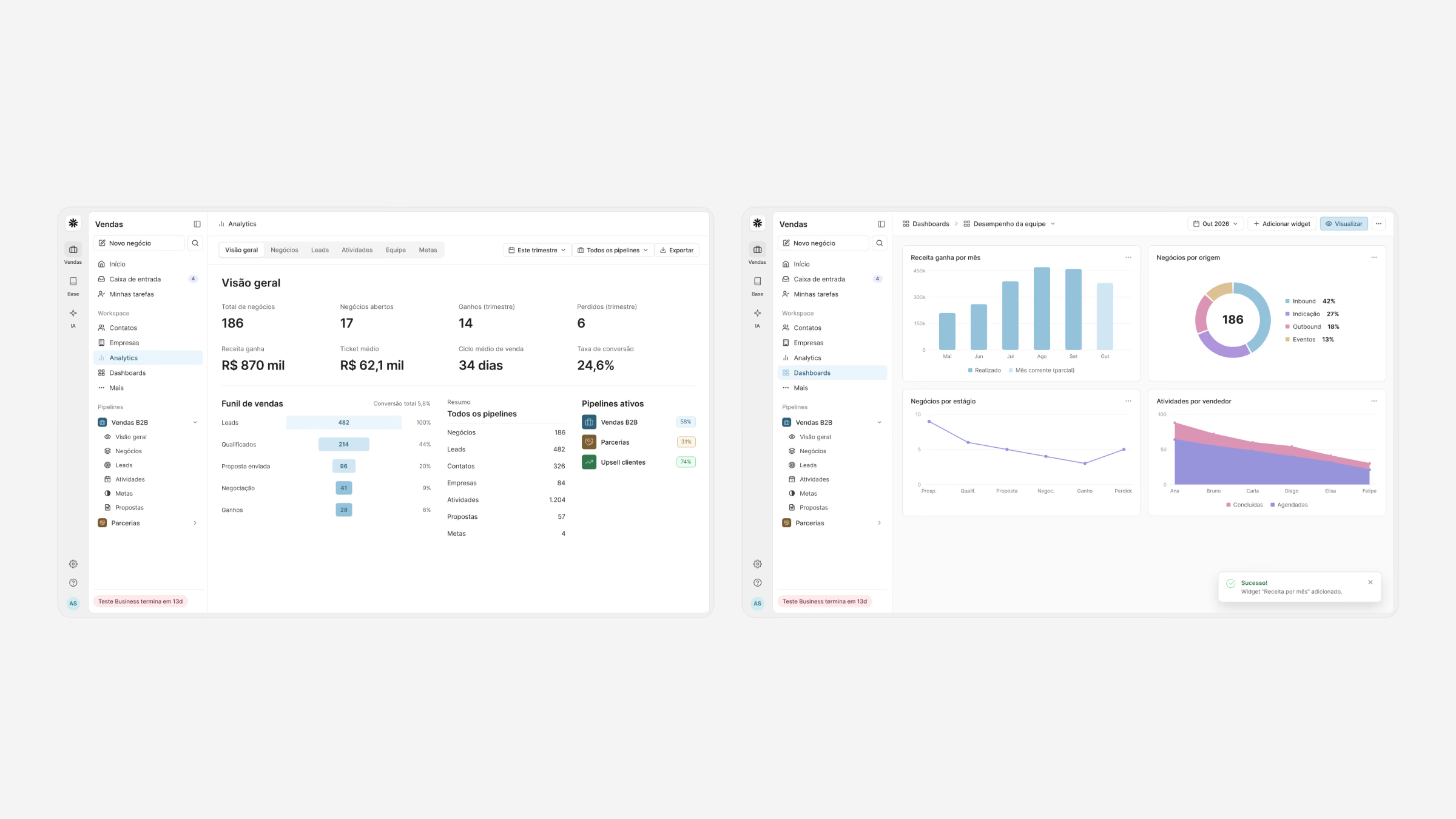
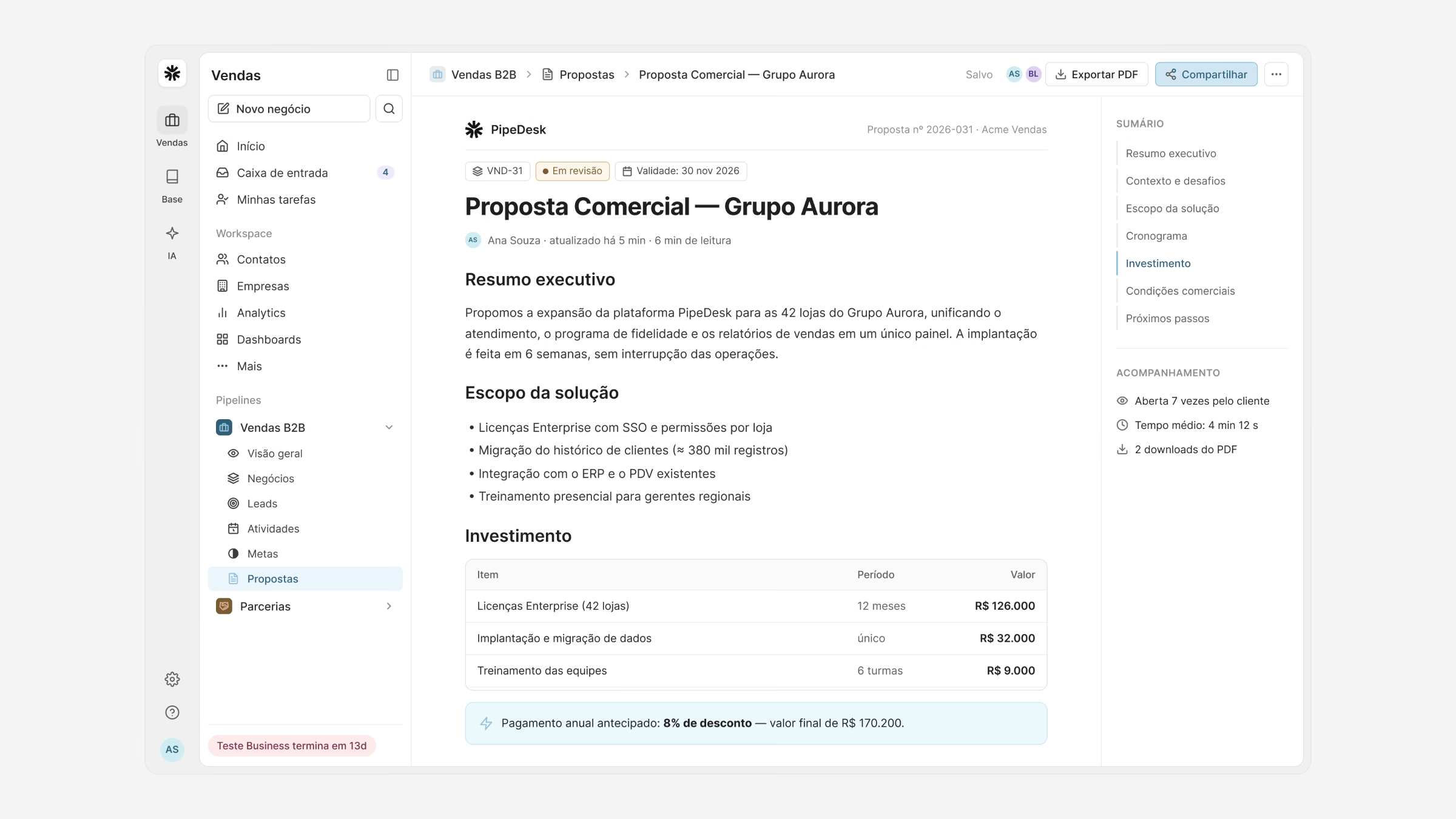
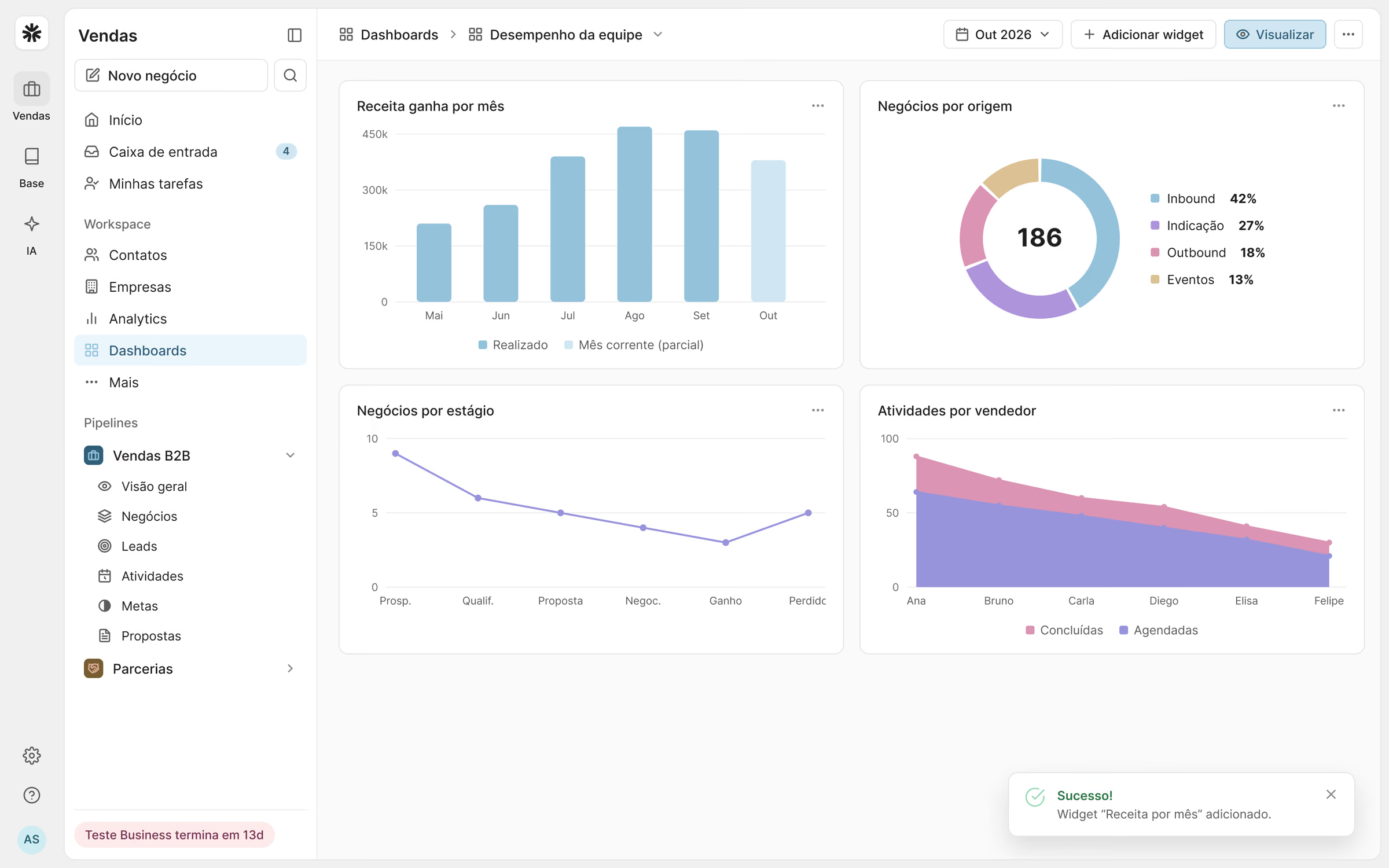
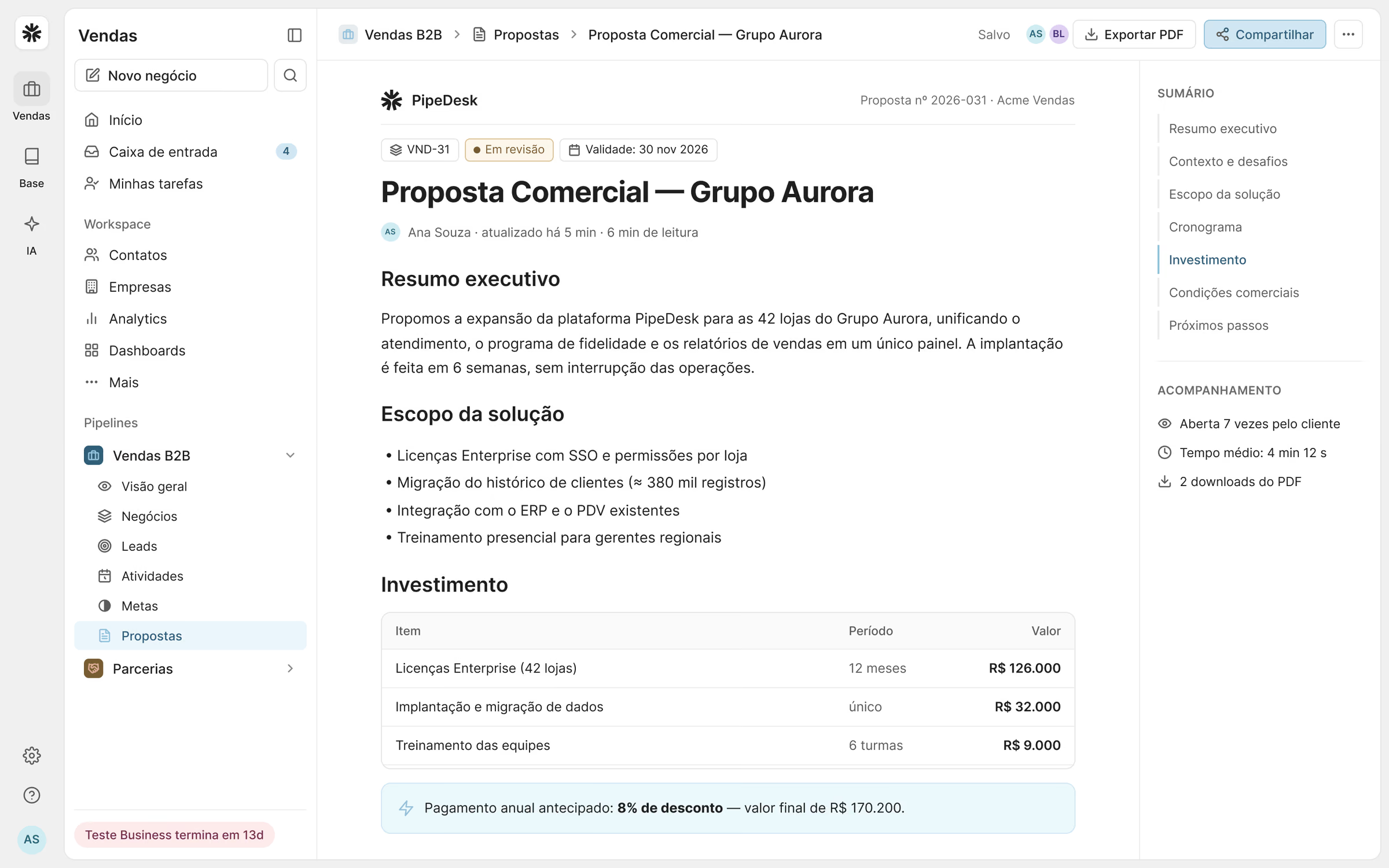
Analytics, team dashboards and goals turn the pipeline into a forecast managers can trust, and proposals are generated from the deal itself, with products, pricing and terms in one document.
Sales copilot
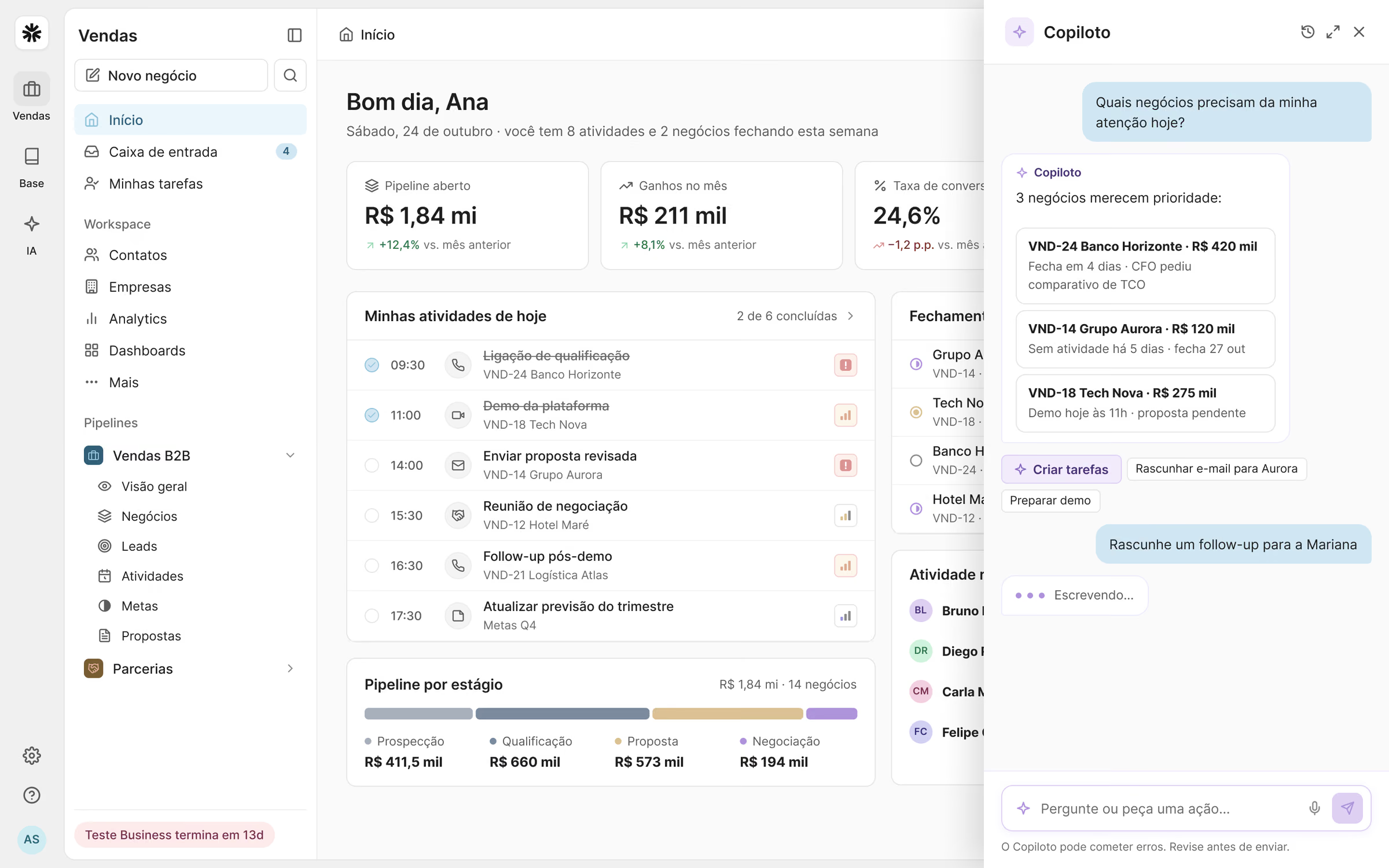
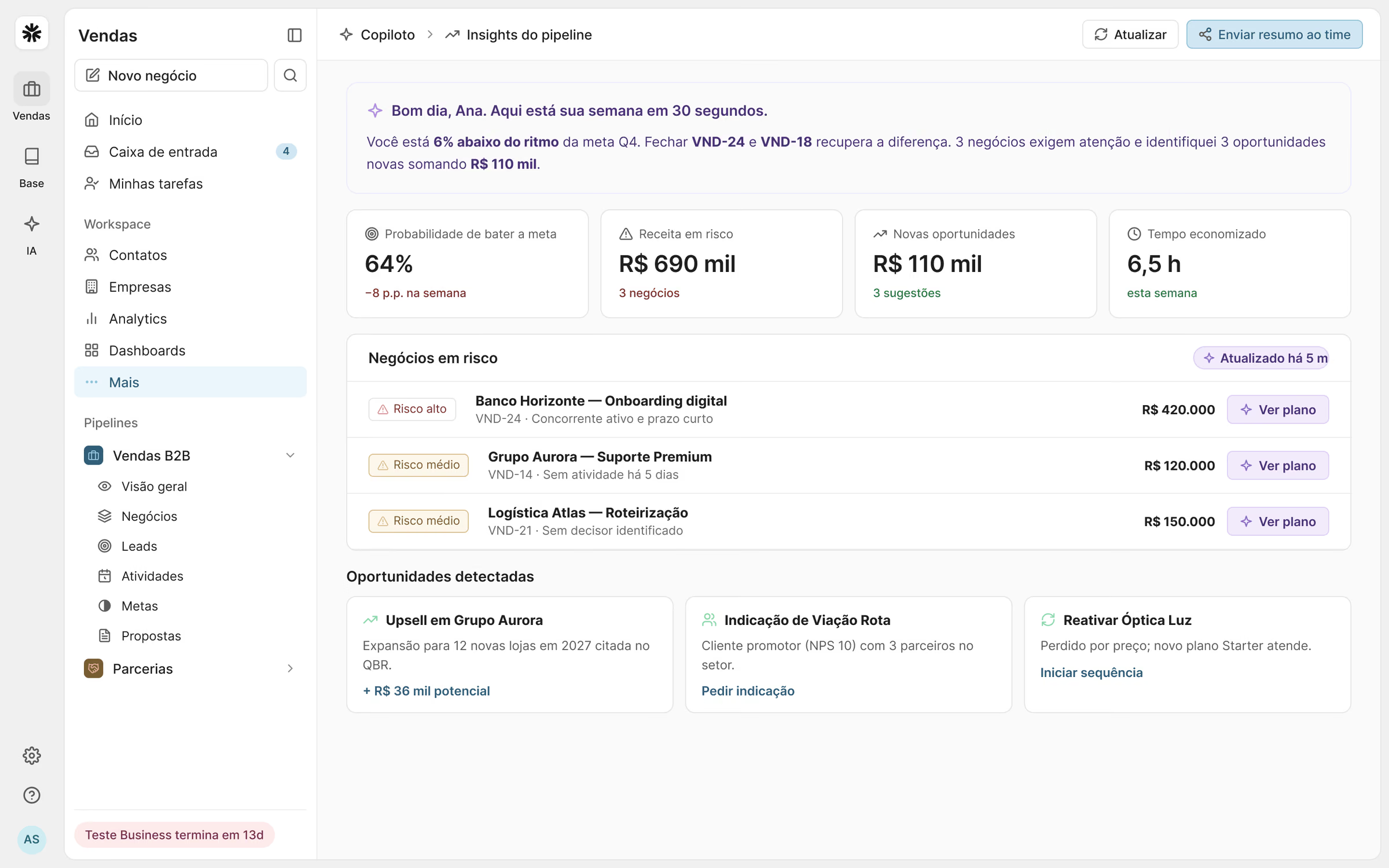
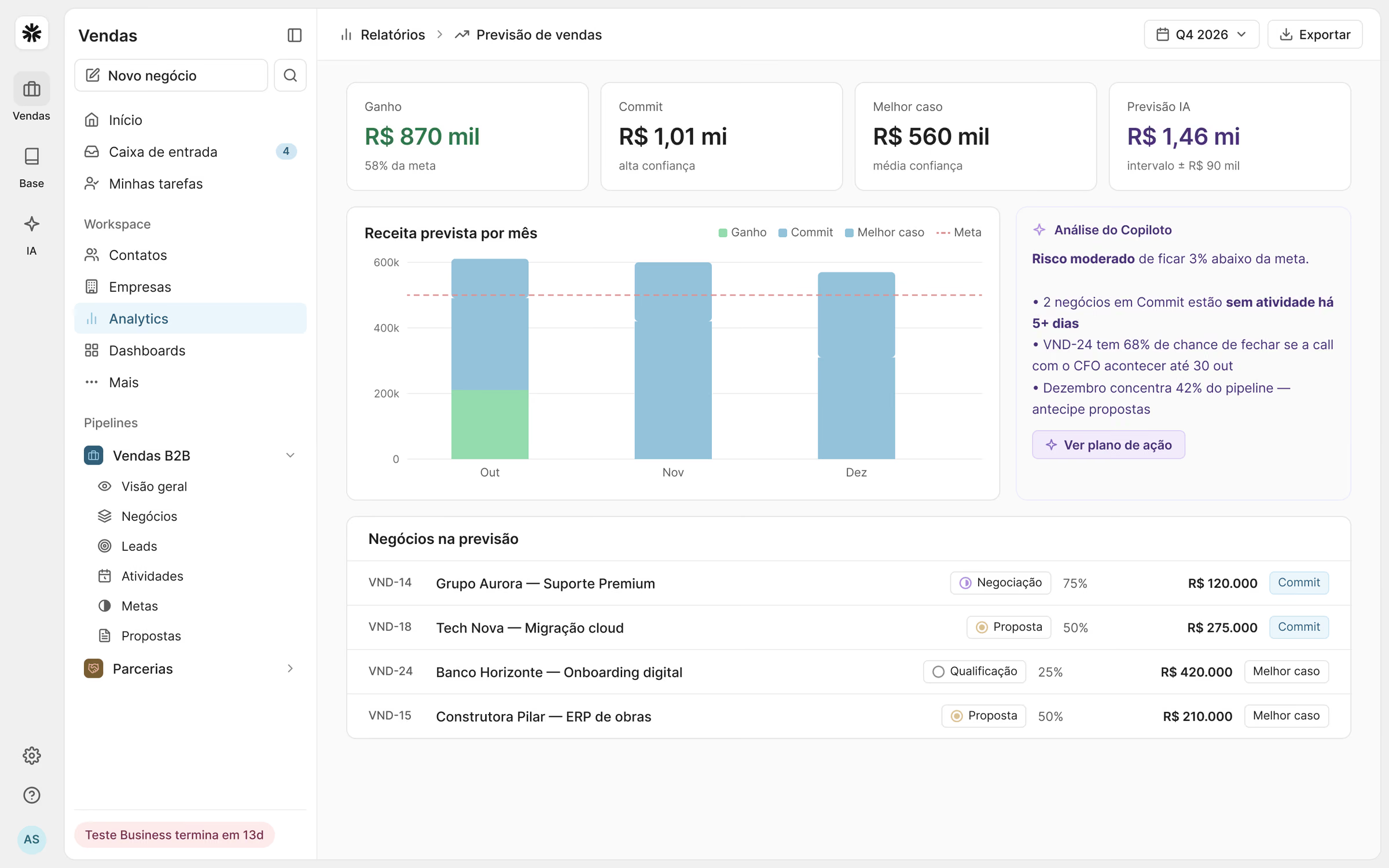
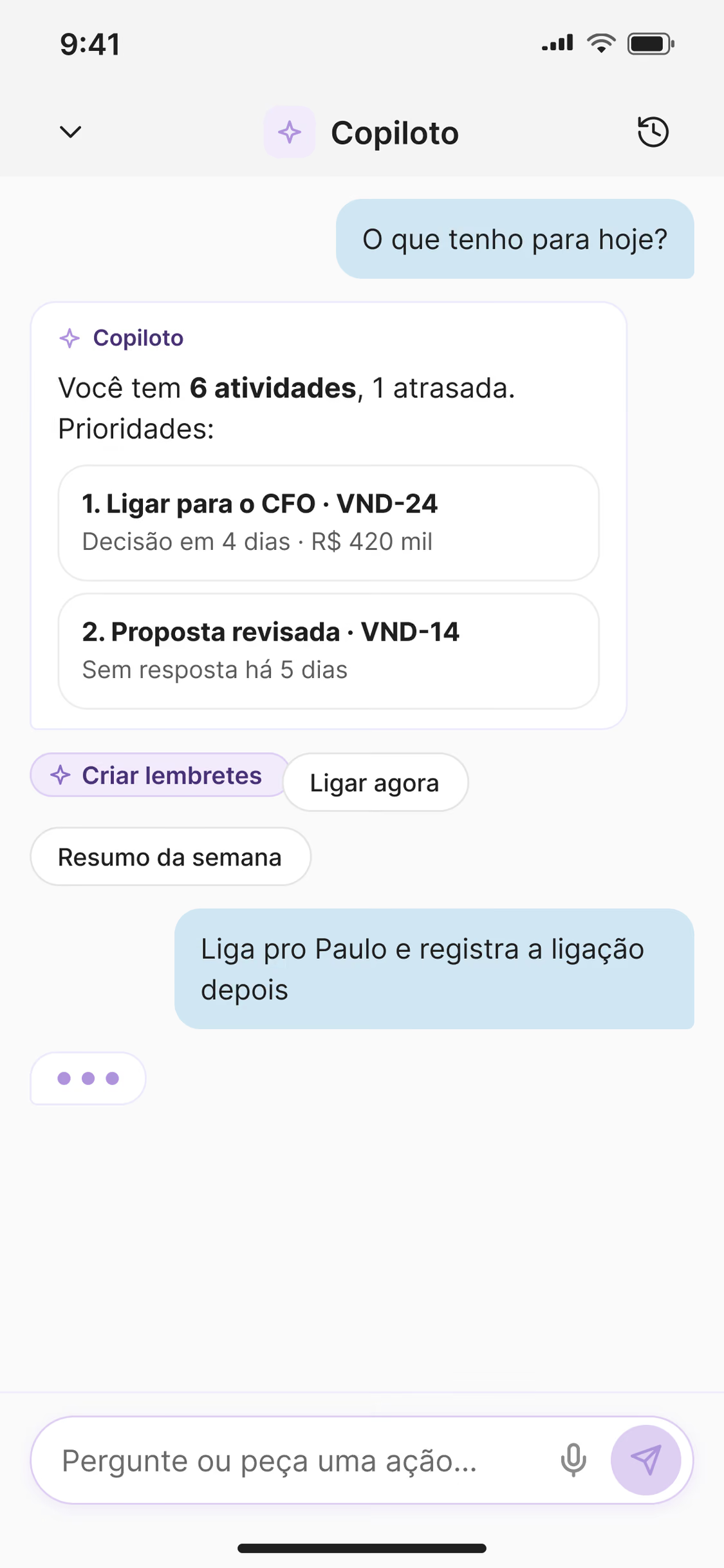
The copilot was designed as a colleague, not as a chat window. It reads the pipeline, points out deals at risk and suggests the next step, and every suggestion shows where it came from, so the seller decides with context.
On the forecast screen the same logic explains the number: which deals hold the quarter and which ones depend on a single contact.
In the field
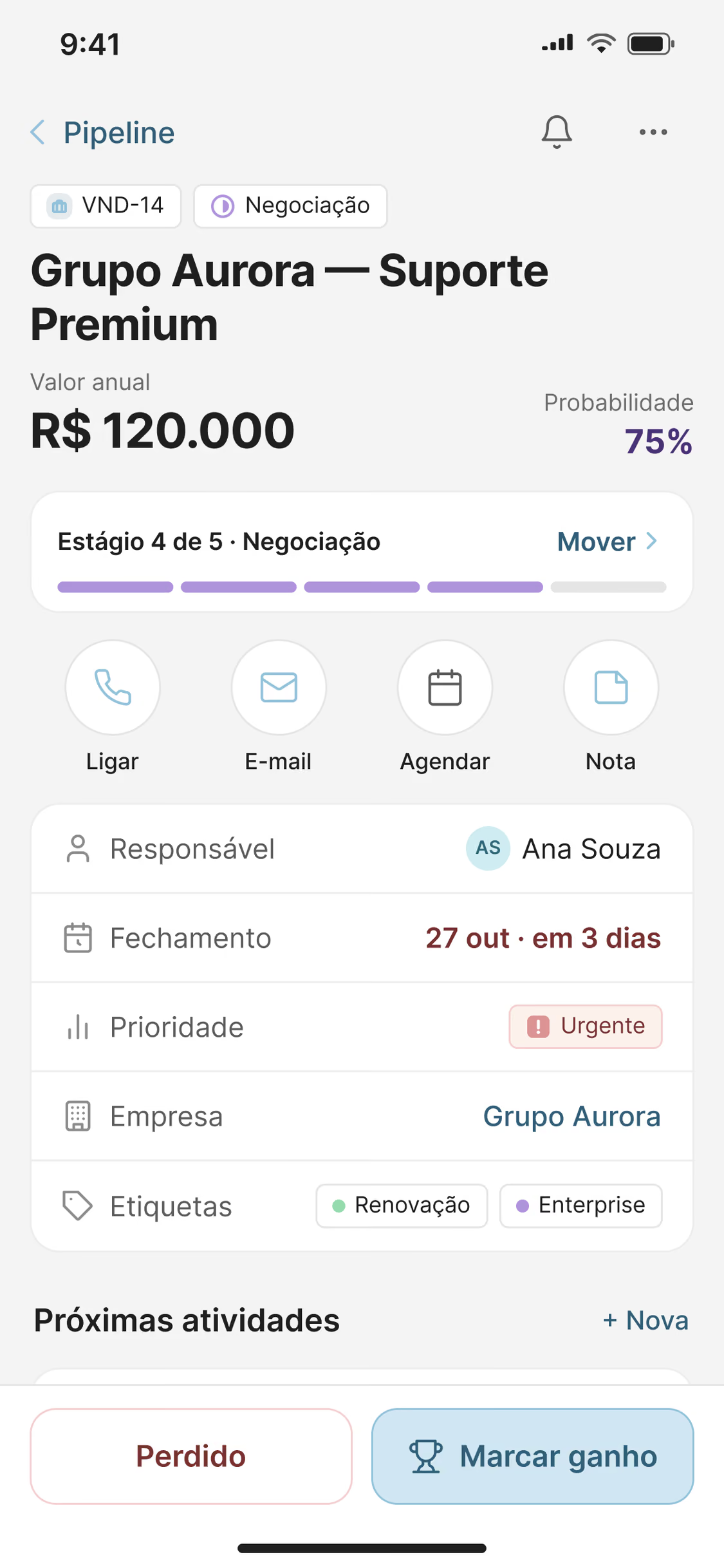
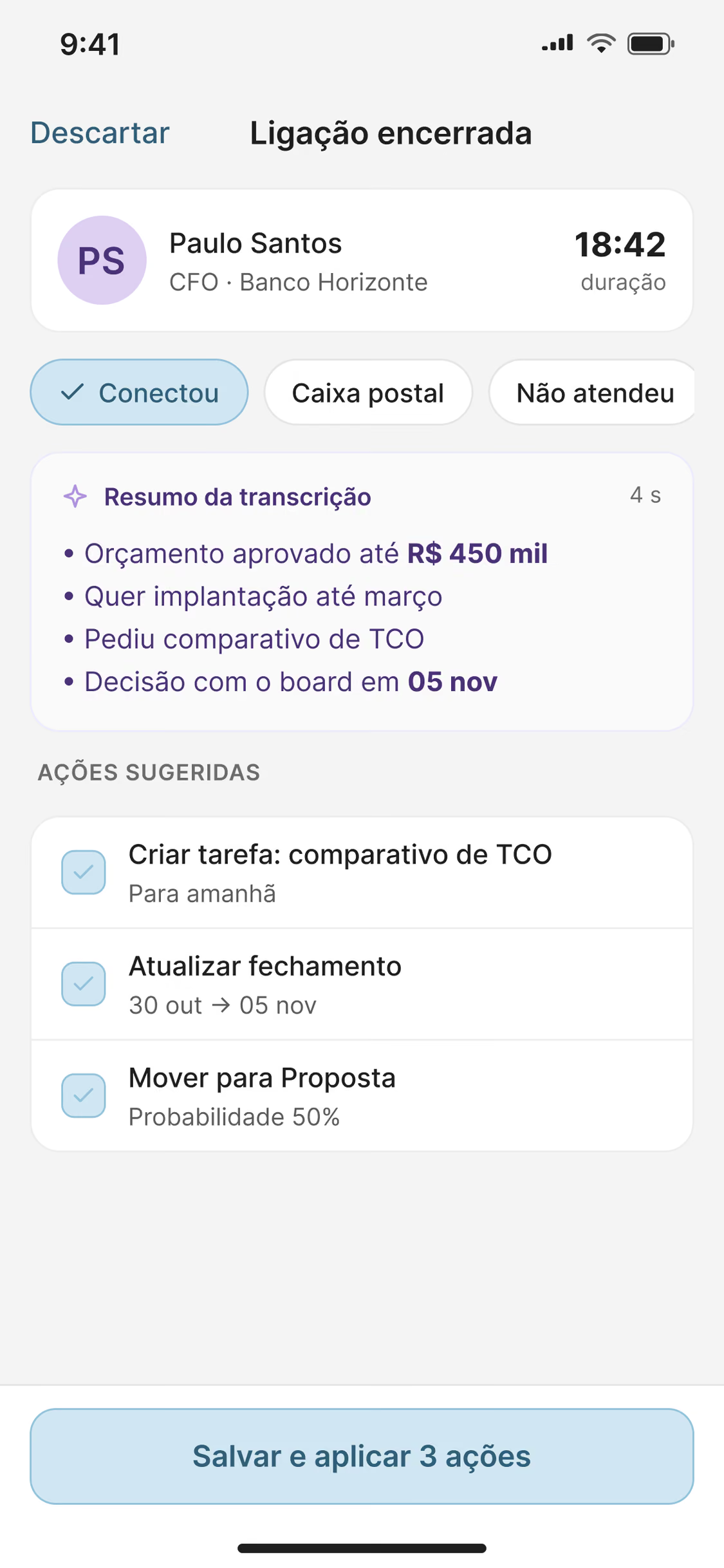
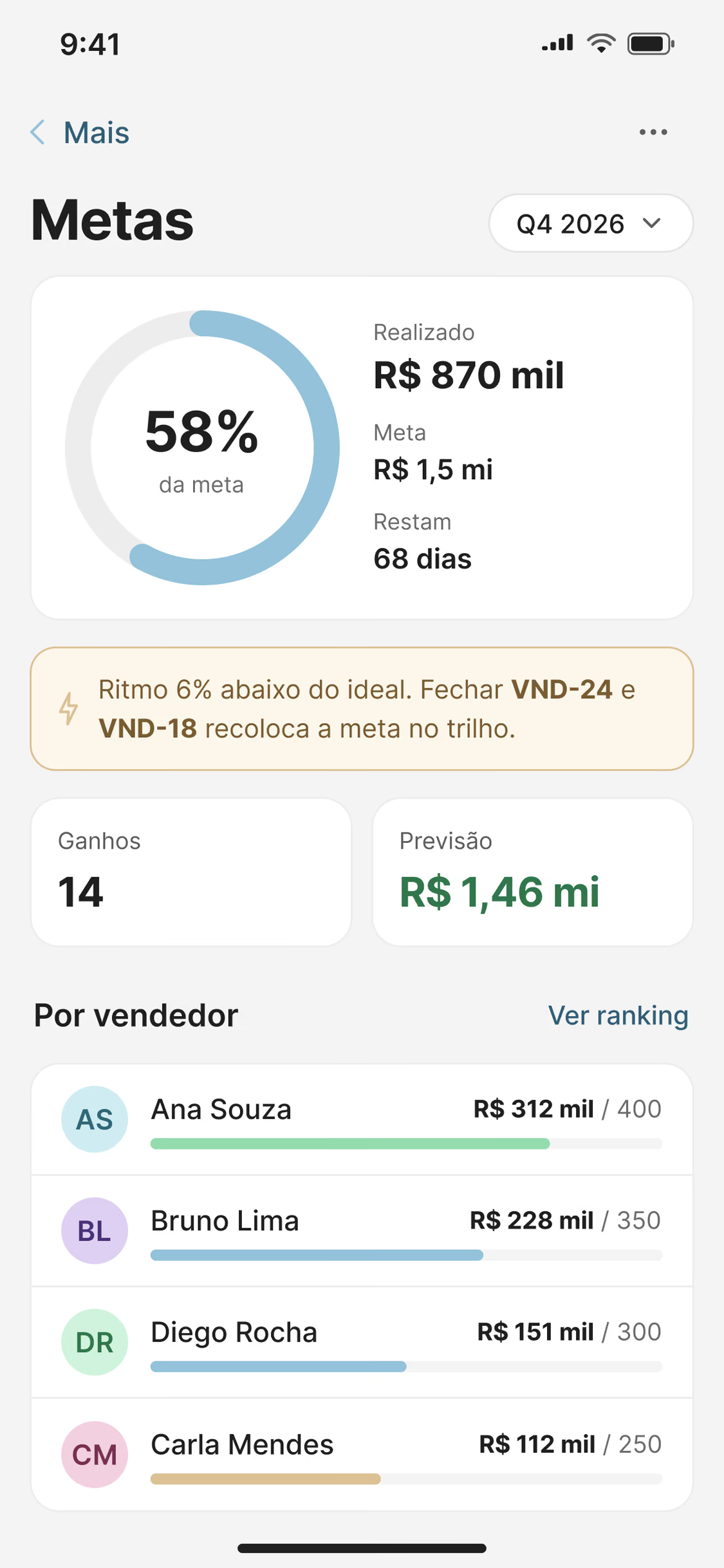
Sellers update the CRM between meetings, with one hand and little time. On the phone, moving a deal is a single gesture and a call turns into a summary with suggested actions, so the record is done before the next visit.
Goals and management
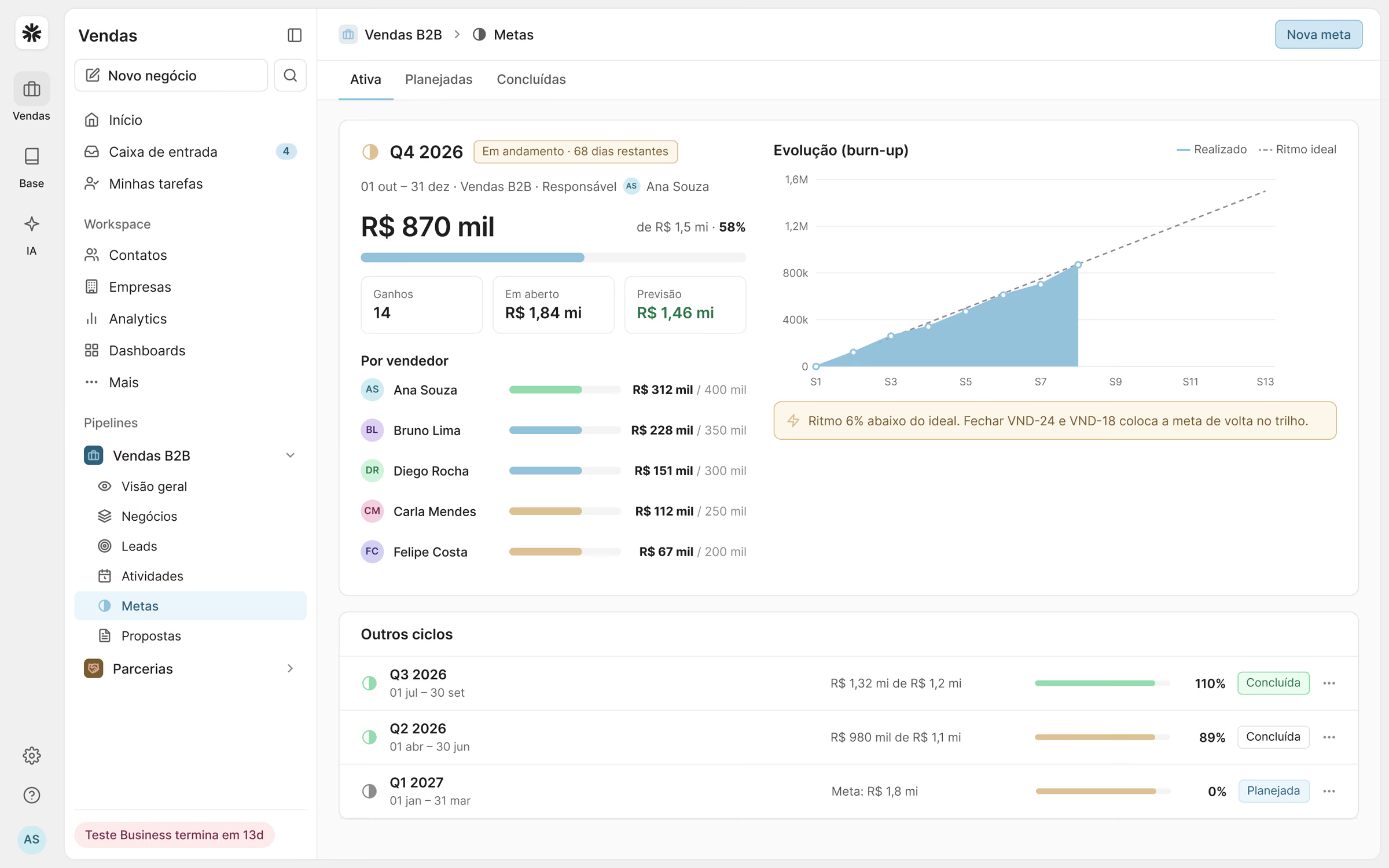
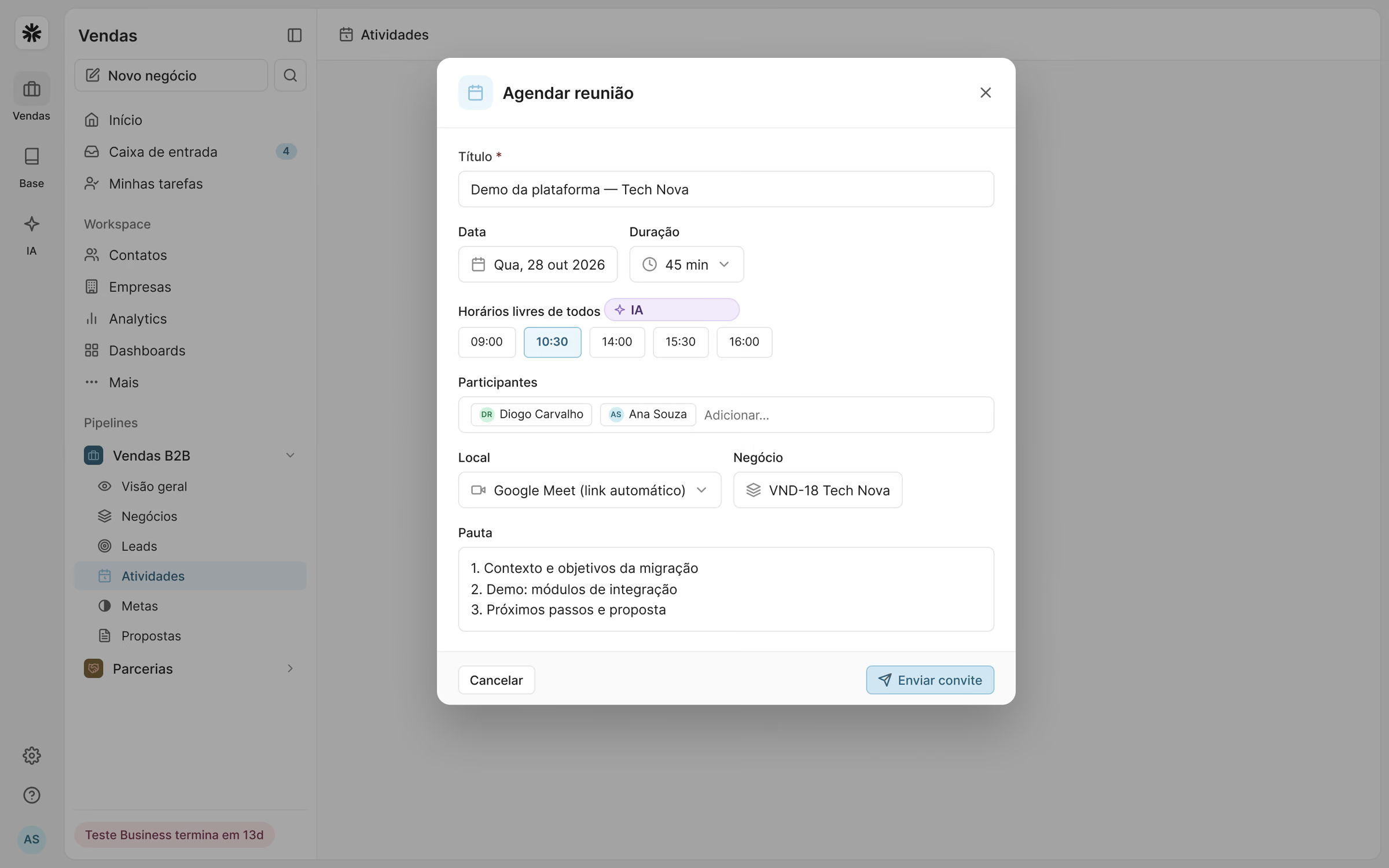
Managers needed to answer two questions without opening a spreadsheet: are we going to hit the goal, and who needs help. Goals, performance and ranking use the same components as the rest of the product, so the reading is immediate.
What I learned
Speed is the feature. In a CRM, every second saved on an update is data that finally gets in, and better data is what managers are really paying for.
Designing web and mobile together, from the same model, kept the two from drifting apart and made the phone part of the system, not an afterthought.
Results
Time to update a deal
Deals with a next step scheduled, up from 61%
Pipeline updates made on mobile
SUS usability score